Ranking Description
About Ranking of Daily Climate Data
Back to ProductThe Ranking of Daily Climate Data product ranks daily observations for a selected weather variable, calendar date, and station across the years within a chosen time period.
Important Items to Consider
There are different ranking options available.
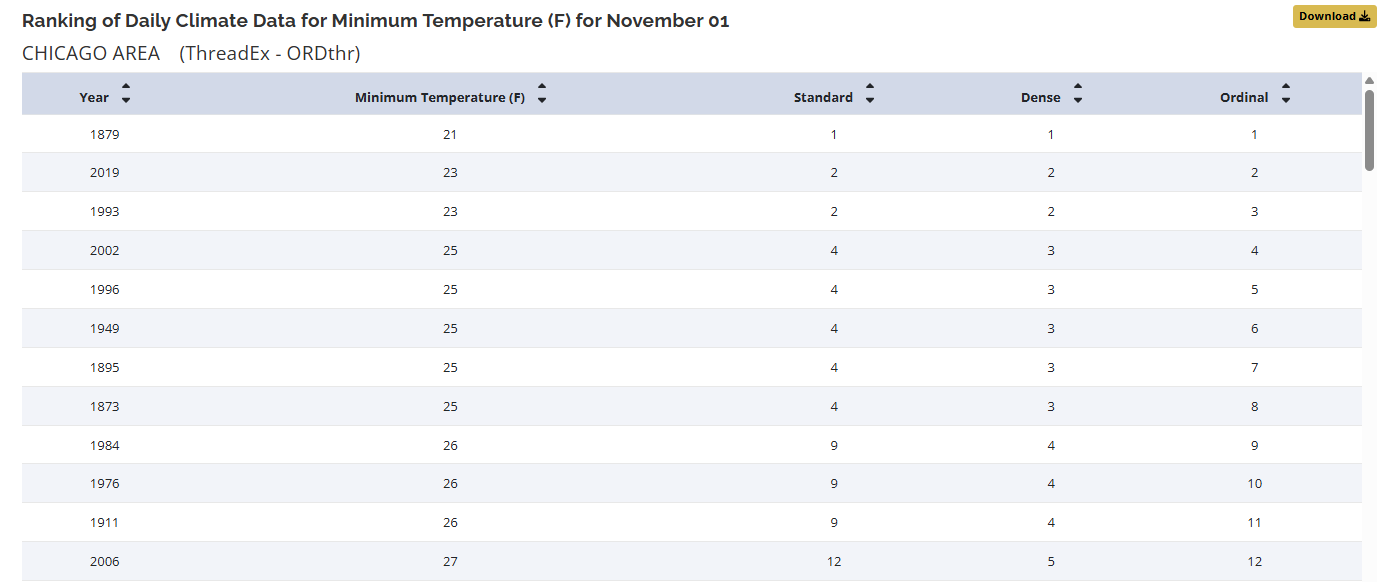
Standard Ranking
The first method in MRCC ranking products is “Standard Ranking” where ties are assigned the same rank and then subsequent ranks are skipped so that the next rank is unaffected by the ties (or lack of ties) ahead of it.
Dense Ranking
The second method is “Dense Ranking” where ties are assigned the same rank but no ranks are skipped which can be thought of as ranking the distinct values rather than the occurrence of each value.
Ordinal Ranking
The third method is “Ordinal Ranking” where ties are ignored and each value gets a unique rank value which is useful for calculations of medians and other percentiles (quartiles, sextiles, …).
Product Inputs
Date
Chosen date to be ranked.
Sort Order
can be sorted in “descending” order from highest to lowest or “ascending” order from lowest to highest ranking.
Time Period
The chose period of interest for the ranking.
- Period of record
- Past number of years (e.g. Past 30 years)
- Custom year range
Variables
Chosen weather variable to see ranked.
- Minimum Temperature (F)
- Maximum Temperature (F)
- Mean Temperature (F)
- Total Precipitation (inches)
- Total Snowfall (inches)
- Total Snow depth (inches)
Example: Ranking Minimum Temperature
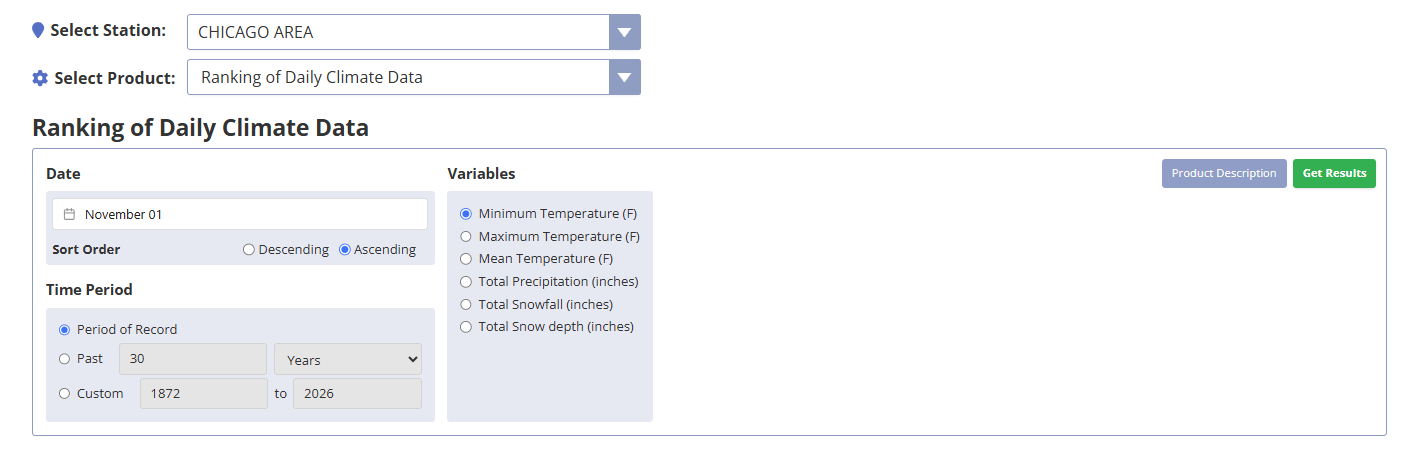
For example, to see how the minimum temperature on November 1, 2026 compares to minimum temperatures on every November 1 throughout the station’s recorded history:
- Date = November 1
- Timer period = Period of Record
- Variable= Minimum temperature
To see the lowest temperatures on November 1, choose “Ascending”, which will rank the lowest observed November 1 minimum temperature first.
Product Results
The output will provide a listing of every low temperature on November 12 going back through the entire period of record.
Downloading Data
Data can be quickly downloaded in .csv format using the gold Download button on the top right.